Skip to Contact an Expert Skip to Main Content
Exclusive offer: Transact with Clover, Get Rewarded with £100 Amazon Voucher!

Get started

Clover
  • Accept Payments
    Back

    Quick Links

    • Start Taking Payments

      £9.99 per month, no hidden fees

    • Compare Clover POS Systems

      Find the right solution to power your business

    Business Solutions

    • Clover Flex

      Portable card machine

    • Clover Flex Pocket

      Lightweight POS to take payments

    • Clover Mini

      Small POS for your countertop

    • Clover Station Duo

      All-in-one dual‑screen POS

    • Clover Online Ordering

      Take your business online

    • All Business Solutions

      Comprehensive options for seamless transactions

  • Run your Business
    Back

    Business Types

    • Pubs and Restaurants

      Simplify serving and amplify guest satisfaction

    • Retail

      Retail excellence — every transaction, every time

    • Services

      Smarter services, seamless payments

    • Hospitality

      Turn tables faster, happier guests

    • Medium and Large

      Tailored RFP for Growth

    • All Business types

      Explore solutions for every business

    Opportunities

    • Business Capital

      Quickly access money for your business

    • Partner with us

      Become a Clover partner

    • Accept most currencies

      Sell to anyone in multiple currencies

    • Manage your business

      Understand your customer, staff and stock

    • Refer a friend

      Earn £100 voucher for each referral

  • Help Centre
    Back
    • Support

      We're here to help

    • FAQ

      Quick answers to common questions

    • User Guides

      Clover easy-to-follow tutorials

    • Clover for developers

      Developer tools for Clover integration

  • Insights
    Back
    • Blog

      Stay informed with valuable insights

    • Case Studies

      Customer Success Stories

    • eBooks

      Essential eBooks for your business

  • About Us
    Back
    • Who we are

      Learn our story and mission

    • Careers

      Join our team

Contact Us

Turn your till into a powerful business hub with Clover EPOS system

Your till should help you run your business smarter. A modern electronic point of sale system (EPOS) doesn’t just speed up transactions; it gives you real-time insights, automates tasks, and helps you stay connected with customers. Get the tools to stay in control.

Get in touch
portable card machines

Accept most popular payment methods

  • Item 1 of 8 Visa
  • Item 2 of 8 AMEX
  • Item 3 of 8 Master
  • Item 4 of 8 Maestro
  • Item 5 of 8 Discover
  • Item 6 of 8 Apple Pay
  • Item 7 of 8 Google Pay
  • Item 8 of 8 contactless
Visa Mastercard American Express Samsung Pay Samsung Pay Apple Pay Google Pay
card machines

What is an EPOS system?

A traditional till rings up sales, but that’s about it. An electronic point of sale (EPOS) system takes things further, handling payments while keeping track of stock, recording sales, and even helping you stay in touch with customers. With this solution, you’re getting a clear picture of your business in real-time.

Key functions of an EPOS solution

Here’s a look at what a modern EPOS till system can do for your business in a single, easy-to-manage solution:

fiserv icon
Payment handling

Process cards, contactless, mobile, and cash transactions with speed and security.

fiserv icon
Stock control

Keep an eye on inventory levels as they change and get notified when it’s time to restock.

fiserv icon
Performance insights

Check daily revenue, pinpoint peak periods, and identify your most popular products.

fiserv icon
Customer engagement

Track loyal patrons, apply special discounts, and review order histories at a glance.

fiserv icon
Team oversight

Assign permissions, monitor tips or refunds, and maintain clear oversight of staff activity.

Upgrade to EPOS till system

A standard till can take a payment and open a cash drawer. An EPOS system, on the other hand, goes further by digitising the process end-to-end, so you can:

fiserv icon

Save time

Automate processes like adding discounts or splitting bills, freeing staff to focus on customers.

fiserv icon

Reduce errors

Digitally track stock, payments, and receipts and cut down on manual mistakes.         

fiserv icon

Stay secure

Benefit from encryption and regulatory compliance, protecting both you and your customers.

fiserv icon

Gain insights

Make better staffing, menus, or product ordering decisions with analytics and reporting features.

Clover: A flexible EPOS machine for every business

Clover is a modern EPOS solution designed to handle much more than just payments. Whether you run a cozy café, a bustling retail shop, or a fast-growing service business, Clover provides hardware and software to match your pace and style.
Get in touch
clover flex

Three ways to set up our EPOS till 

 
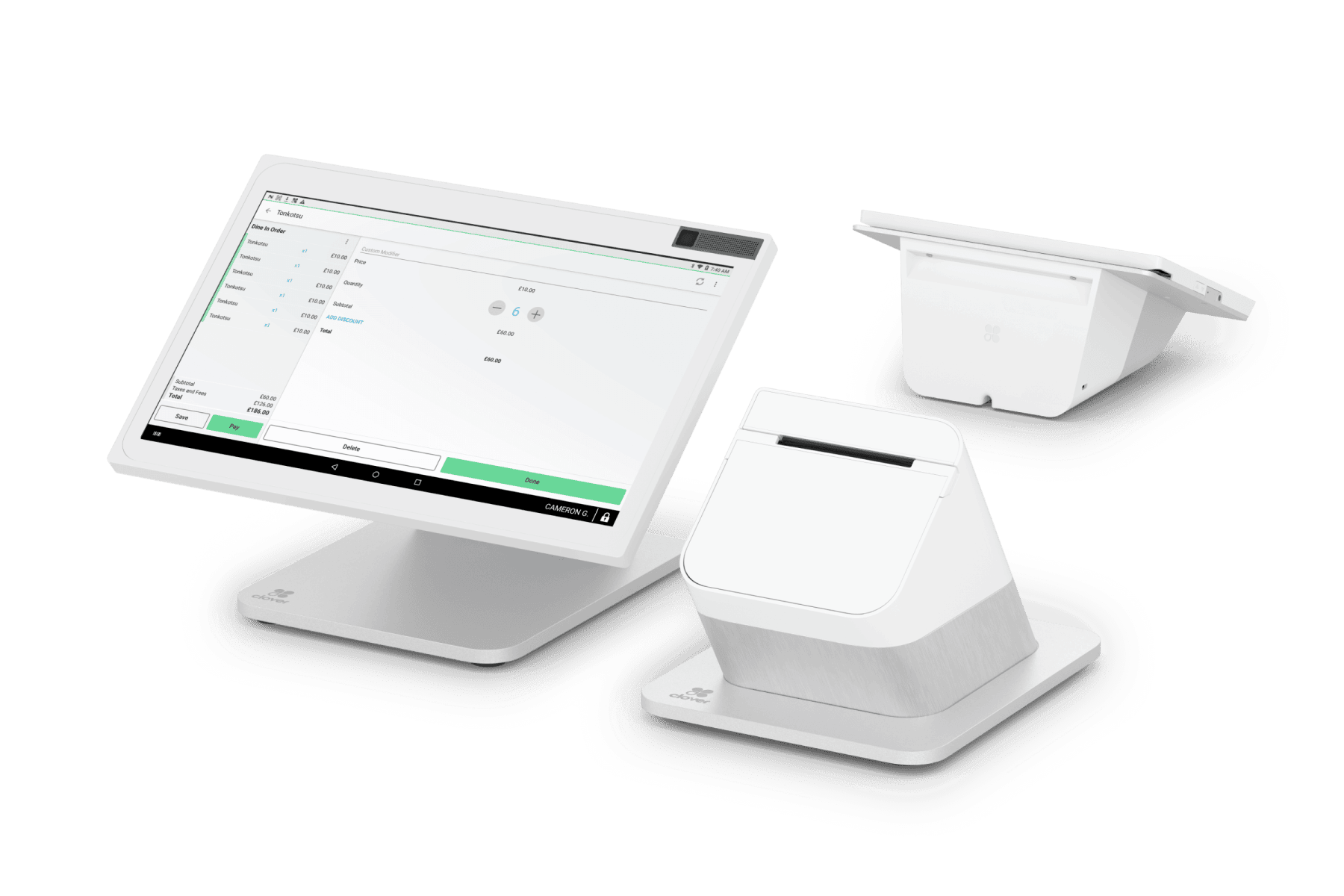
Clover station duo

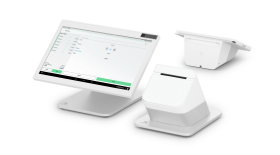
Station Duo - Countertop

  • Ideal if you want a full-featured, all-in-one till with a large screen.

  • Perfect for permanent checkout counters in retail stores or restaurants.

  • Includes a cash drawer, receipt printer, and other accessories for a complete setup.

 
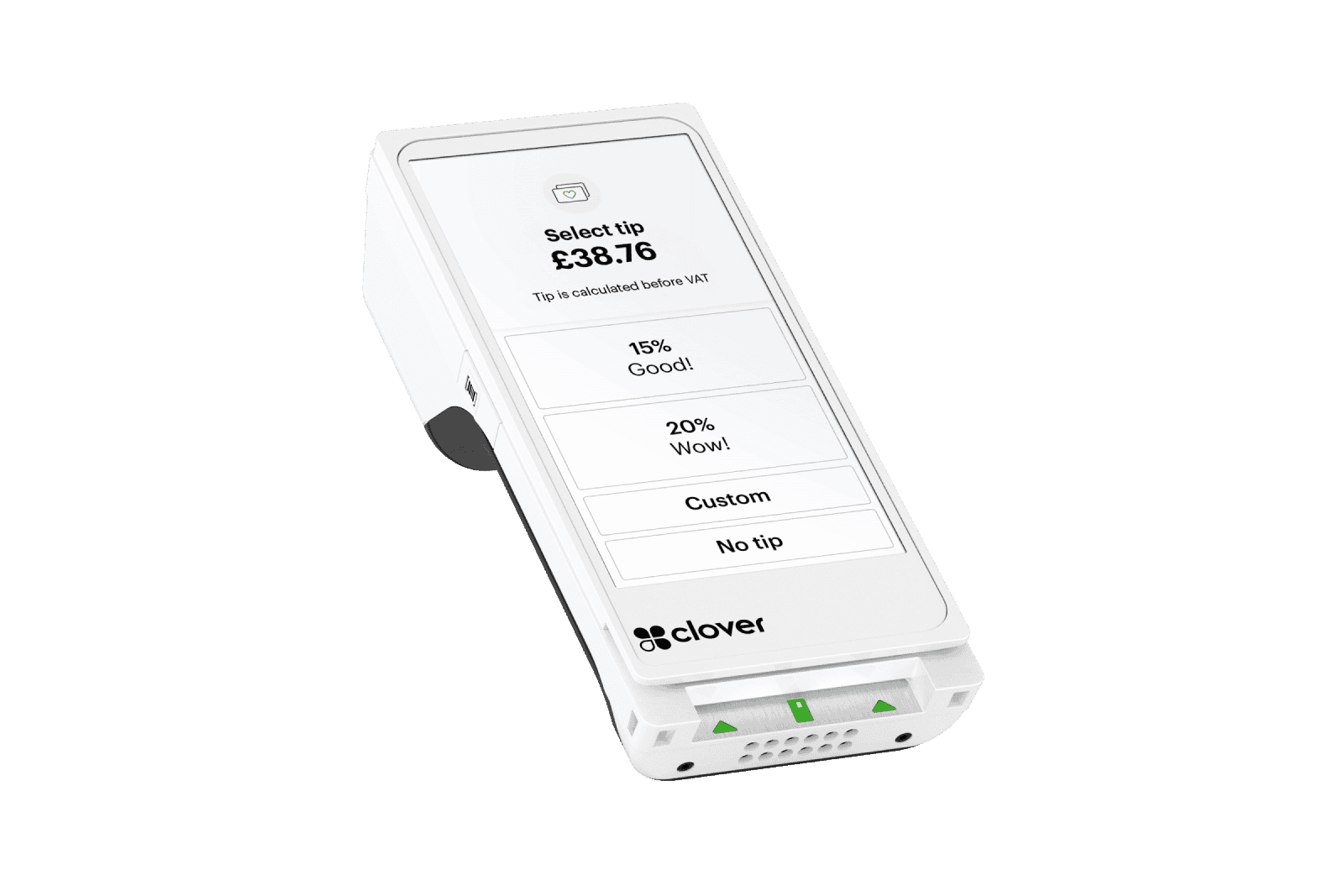
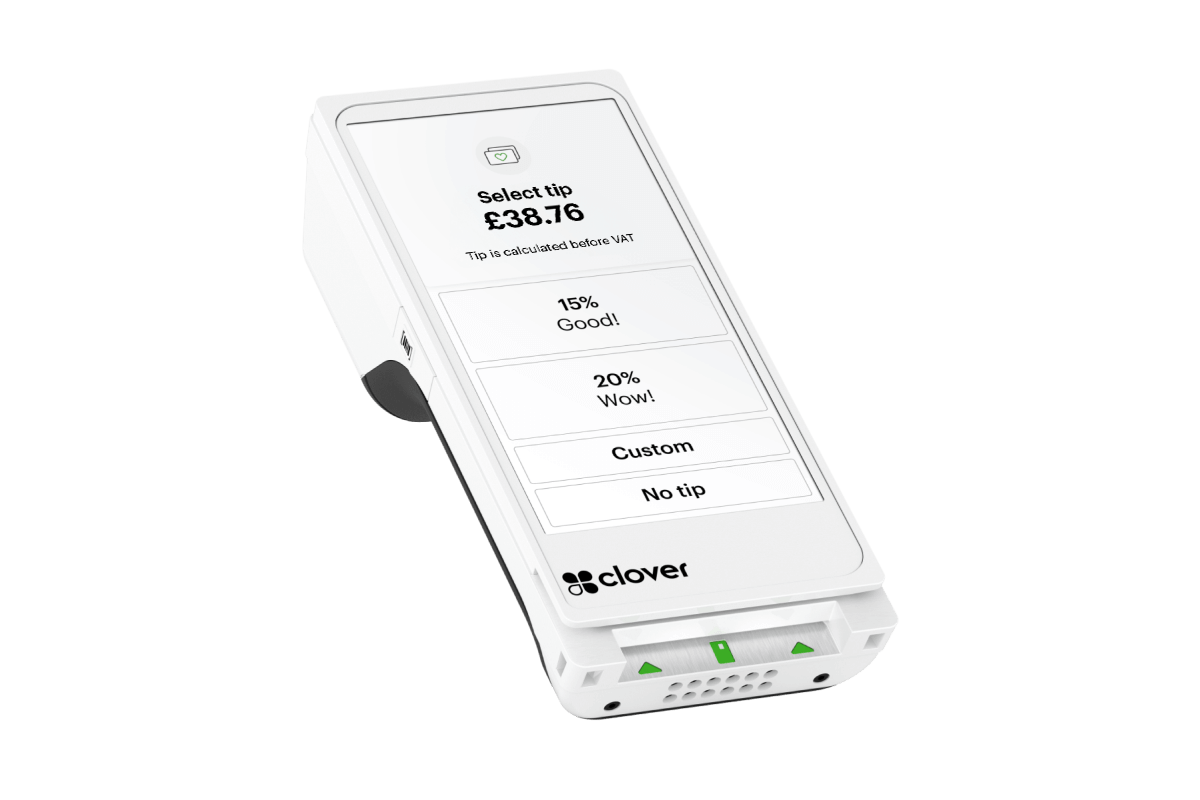
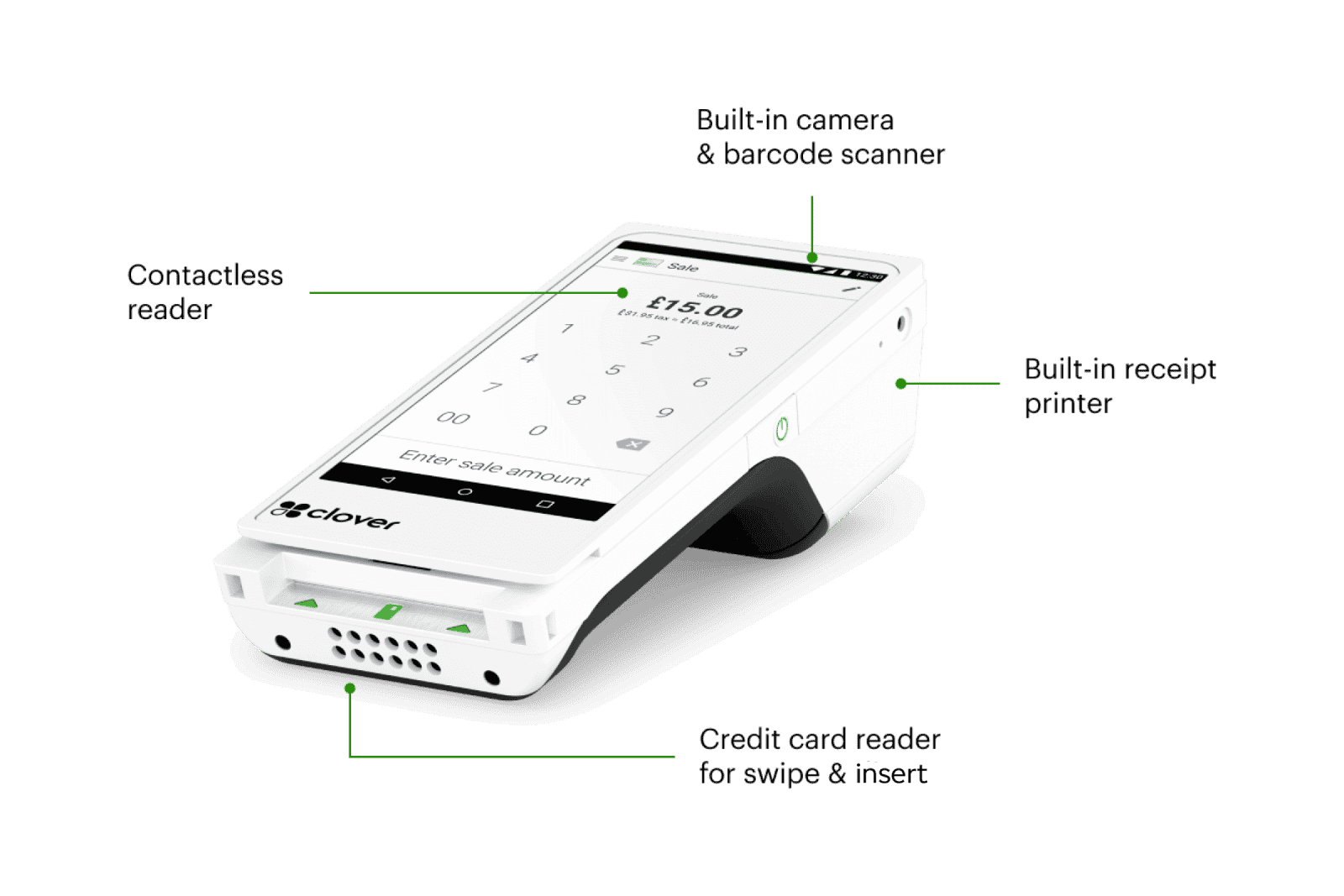
Clover Flex

Flex -

Handheld

  • Made for businesses on the move - think cafés with outdoor seating or pop-up events.

  • Lightweight, handheld device with built-in payment acceptance (chip, PIN, contactless) and receipt printing.

  • Easy to pass to customers or carry to tableside for a smooth checkout anywhere.

 
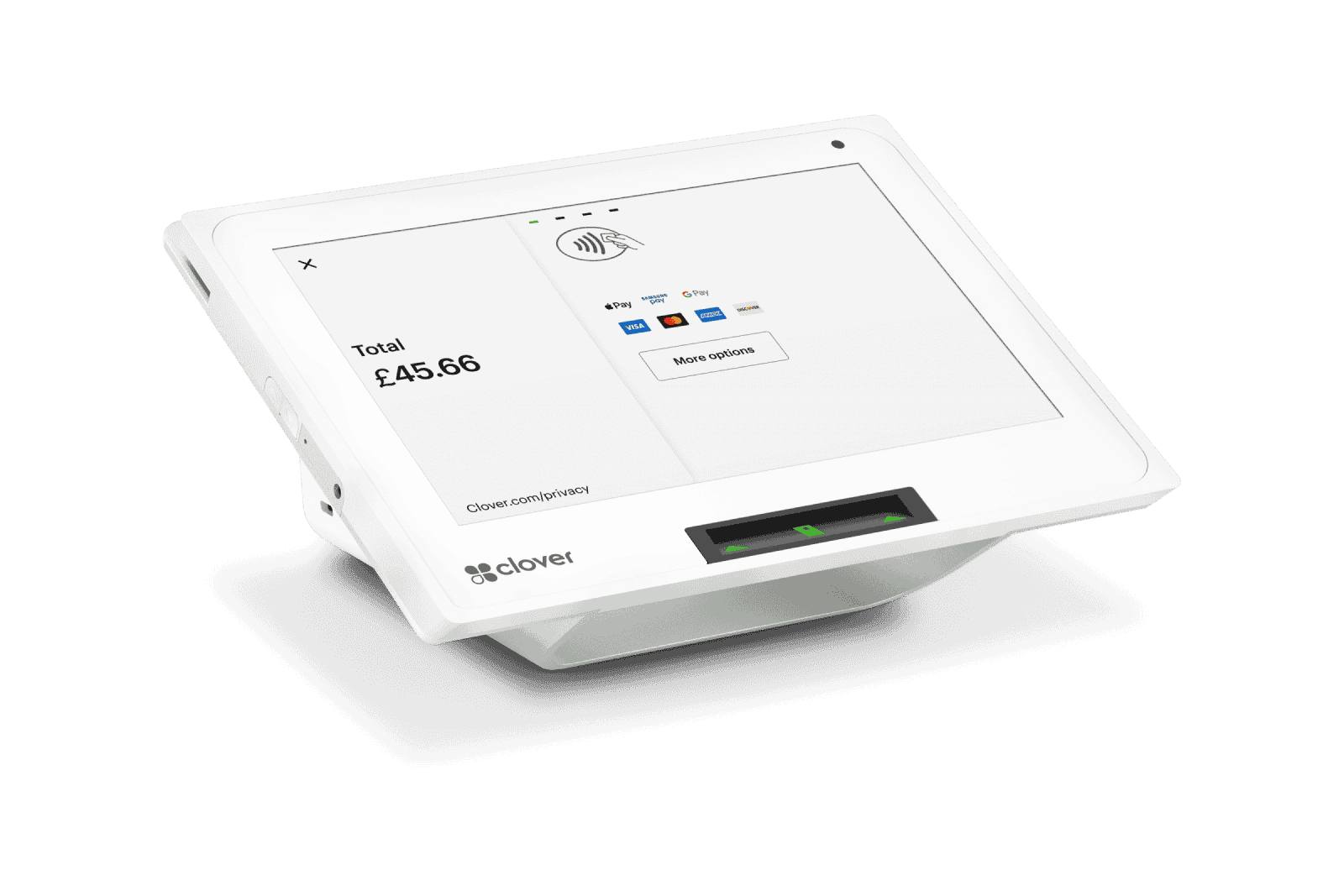
Clover

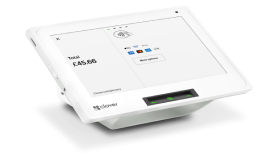
Mini - Compact Countertop

  • Great for smaller spaces where you still want a dedicated register.

  • Sleek, streamlined design with an integrated screen and payment capabilities.

  • Perfect for quick service counters or boutique shops that need a tidy, efficient solution.

4 Reasons to choose Clover EPOS system

Clover covers everything from flexible software to built-in loyalty tools. Run your business without managing multiple systems.

Customisable software plans: Tailor the features you need and add apps from the Clover App Market to suit retail, hospitality, or any other sector.

Adaptable hardware: All Clover devices connect simply, so you can start with one setup and add more stations or accessories as your business grows.

Built-in customer engagement: Track customer histories, send promotions and set up loyalty programs right from your dashboard.

Automatic updates: Get new features and security patches behind the scenes - no extra fees or system downtime.
Get Clover today

A perfect solution, no matter the industry

Ever found yourself racing to serve customers at your busy café, or struggling to keep track of stock at your pop-up shop? Clover’s EPOS handles those challenges and more, adapting to companies of all sizes. Start small if you like, then add new devices or features as you expand.

Retailers

Track inventory in real-time, run promotions and serve customers faster at checkout.

Restaurantes & cafés

Manage orders, split bills, and connect with delivery services to cover every angle.

Salons & spas

Schedule appointments, handle tips, and keep comprehensive client records in one place.

Professional services

Send invoices or take payments over the phone without missing a beat.

Get started with our EPOS

Curious how Clover could fit into your workflow? Reach out today for a personalised quote or explore the different plans to see which devices match your needs.

Our experts will help you design a setup that handles your busiest hours and grows with your business no matter where you’re starting from.

Take the next step

Frequently Asked Questions

An EPOS system handles daily sales in a more efficient way than a standard till. It can process contactless and card payments, track inventory, and log your earnings in one place. You’ll often get reporting features that highlight top-selling items, busiest times, or repeat visitors. Those insights help you order stock on time, plan staff rotas, or roll out targeted promotions to improve your profits. It’s particularly handy for reducing errors and getting instant updates on performance.

An EPOS system is a modern upgrade from a basic till. It accepts card and contactless payments, tracks sales, and monitors stock in real-time. Because everything runs through one platform, it’s simpler to log daily tasks and pull detailed reports. Many EPOS setups also help you maintain loyalty programmes or send email offers, making it easier to keep customers engaged. You can also get insights into top-selling items and peak trading hours without guesswork.

Prices can vary greatly based on the hardware, your chosen software package, and any associated transaction charges. Some businesses opt to buy everything outright, while others prefer a monthly subscription that includes both equipment and support. You might pay extra for specialised items like receipt printers or scanners. The best step is to decide which features, such as stock tracking or loyalty programmes, are essential, then request quotes to find the right fit.

Setting up an EPOS system starts with choosing hardware that suits your space, such as a countertop terminal or a handheld device. Next, you'll activate the system and download the necessary software. Then, you'll configure your account settings and load your products, prices, and tax rules. Clover offers training resources so you and your team can learn about the system.  Once you're up and running, you can add additional features like loyalty programs or accounting integrations.

Ready to take your business to the next step?
Let us know how we can help

Get in touch Partner with us
Clover

.

  • Chat Available ChatWeb chat is not available at the moment. Opening hours 8:00am to 10:00pm

Quick Links

  • Get a quick quote
  • Start taking payments
  • Compare Clover POS systems
  • Portable card machines
  • Point of Sales systems
  • Card readers
  • Our UK Presence
  • Clover Apps

Business Solutions

  • Clover Flex
  • Clover Flex Pocket
  • Clover Mini
  • Clover Station Duo
  • Clover Station Solo
  • eCommerce
  • All business solutions

Business Types

  • Pub and Restuarants
  • Retail
  • Services
  • Hospitality
  • Medium and Large
  • All Business Types

Opportunities

  • Business Capital
  • Partner with us
  • Accept most currencies
  • Manage your business
  • Restaurant managent software
  • Quick service restaurant system
  • Bar inventory software
  • Beauty salon software
  • Retail Inventory System
  • Refer a Friend

Insights

  • Blog
  • Case Studies
  • Clover eBooks

About Us

  • Who we are
  • Investors
  • Press
  • Careers

Help Centre

  • Log in
  • Support
  • FAQ
  • Clover for developers
  • Contact us

Tools and Resources

  • PCI DSS
  • Payment Gateway integration
  • Integrations


Legal information      Terms of use      Privacy Notice      Cookies      UK Modern Slavery Act      Sitemap


 © 2026 Fiserv, Inc. or its affiliates. All rights reserved. Fiserv, Clover and First Data are trading names, trademarks, registered trademarks, service marks or registered service marks of Fiserv, Inc. or its affiliates. Our acquiring solution in the UK is provided by First Data Europe Limited (FDEL) a private limited company incorporated in England (company number 02012925) with a registered address at Janus House, Endeavour Drive, Basildon, Essex, SS14 3WF. FDEL is authorised and regulated by the Financial Conduct Authority (FCA register No. 582703;). Clover devices and solutions are provided by either Marketplace Merchant Solutions Limited (MMSL) or First Data Europe Limited (FDEL). Non Clover POS solutions are provided by FDR Limited, LLC (FDRL). FDEL, MMSL and FDRL are all Fiserv, Inc. group companies.


Apple, the Apple logo, and iPhone are trademarks of Apple Inc., registered in the U.S. and other countries. Apple Pay and Touch ID are trademarks of Apple Inc. Android™ is a trademark of Google, Inc. EMV® is a registered mark owned by EMVCo LLC. www.emvco.com

Site Selector